

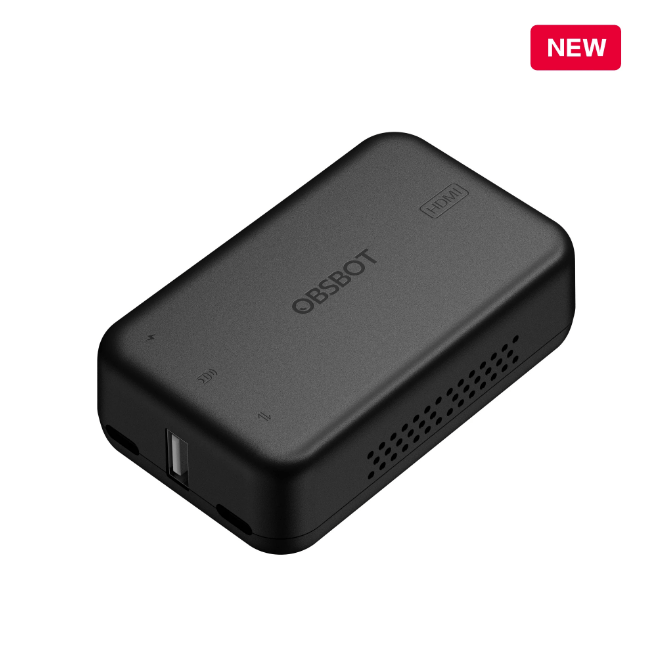


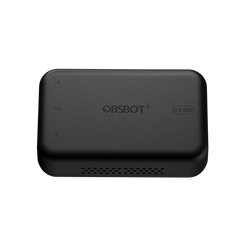
OBSBOT UVC to HDMI Adapter
- HK$1,399.00
HK$1,399.00- HK$1,399.00
- Unit price
- per
Save $0.00
Please hurry! Only 0 left in stock
Limited-Time Offers, End in:
151D
8H
23M
0S
10 customers are viewing this product
Couldn't load pickup availability
Free Shipping
Free standard shipping on orders over $99
Free Returns
Learn More.

Description
xTutorial Video
https://youtu.be/6aOsccr1U_A
Description
1. Superb 4K UVC to HDMI conversion Support the conversion between the UVC and the HDMI, with up to 4K@30fps & 1080p@60fps resolution and decoding solution, the OBSBOT UVC to HDMI adapter allows you to unfold more possibilities of the OBSBOT webcam devices. 2. Plug and play Simple installation, No Driver required, easily connecting your OBSBOT devices to a PC, Mac, Smart TV, or even an ATEM device. 3. Low Latency Expand real-time video calls with ultra-low latency without a time limit and HDMI port limit. 4. OBSBOT Remote Control support OBSBOT remote controller (Meet controller and Tiny controller) is available to control OBSBOT Tiny series and OBSBOT Meet series during your connection, level up your remote workflow. 5. Firmware Upgrade support OBSBOT UVC to HDMI adapter support firmware update via software, good product, well support. *Note: Compatibility for ATEM Switchers' UVC input is now available. What's In the Box 1 * OBSBOT UVC to HDMI Adapter 2nd Gen 1 * USB-C to USB-C Cable (1.5m)
Guide For Use
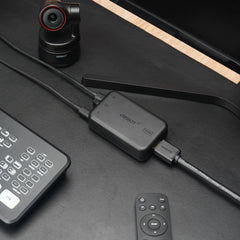
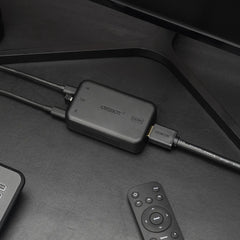
Before You Use Please operate as shown in the following figure: Step 1: Connecting Power Port with power supply. Step 2: Connecting HDMI Output Port with monitor via HDMI cable. Step 3: Connecting USB-C Input Port with USB camera via USB-C cable. *Note: a. If necessary, you can plug in the OBSBOT remote control (Meet control and Tiny control) Receiver into the USB port to control OBSBOT Tiny Series or OBSBOT Meet Series via remote control. b. Power of the adapter is not less than 5V/2A/10W. c. Do not use the USB port of the computer for the power supply. 
Related Products
youget
youget
youget
youget
youget
youget
youget
youget
youget
youget

- Choosing a selection results in a full page refresh.
