Spatial Audio for Professional Video Production
A keynote speaker turns toward a screen, a panelist responds from the other side of a table, and an online viewer can tell where each voice is coming from without looking at the video. That is the practical value of spatial audio: it gives sound position, distance, and movement that conventional stereo or mono audio cannot fully communicate.
For creators and AV teams, the technology is not a replacement for microphone technique. It is an additional production layer that can make remote meetings, hybrid events, training videos, livestreams, and recorded presentations more natural to follow. The result depends on the entire signal chain - microphone placement, room acoustics, capture format, processing, delivery platform, and the listener's playback device.
What Spatial Audio Actually Does
Traditional mono places every sound source in one central point. Stereo creates a left-to-right image using two channels. Spatial audio goes further by preserving or creating positional information around the listener, including front-to-back placement, height, distance, and movement.
In a production workflow, this can be achieved in two different ways. The first is capture-based spatial audio, where a microphone array records directional information from the environment. The second is mix-based spatial audio, where an operator places individual microphone sources within a virtual sound field during post-production or live mixing.
That distinction matters. A camera with an integrated microphone array may provide a useful sense of direction for a small meeting room, but it will not replace close-miked lavalier or shotgun microphones when speech intelligibility is the priority. Conversely, separate microphones give an operator far more control over noise, level, and placement, but require routing and mixing discipline to create a convincing spatial result.
Why Spatial Audio Matters for Video Production
Video already tells viewers where to look. Audio tells them where to focus. When the two agree, viewers expend less effort interpreting a scene.
This is particularly useful when several people are speaking. In a panel discussion, for example, individual speakers can occupy distinct positions that match their on-screen location. In a product demonstration, sound effects can support movement across the frame. For training and education, a presenter can feel more present than a single, fixed voice centered in the listener's headphones.
Spatial playback can also reduce the perceived density of a busy mix. It does not eliminate overlapping speech or background noise, but it can give voices more separation than a tightly centered mono mix. That benefit is strongest for listeners using headphones or compatible multichannel playback systems.
There is a trade-off: not every viewer will hear the intended effect. Many livestream viewers use phone speakers, laptop speakers, basic earbuds, or platforms that process audio aggressively. A professional mix must still work in mono and standard stereo. Spatial information should enhance clarity, not become the only way a listener can understand the program.
Spatial Audio Capture: Cameras and Microphones Have Different Jobs
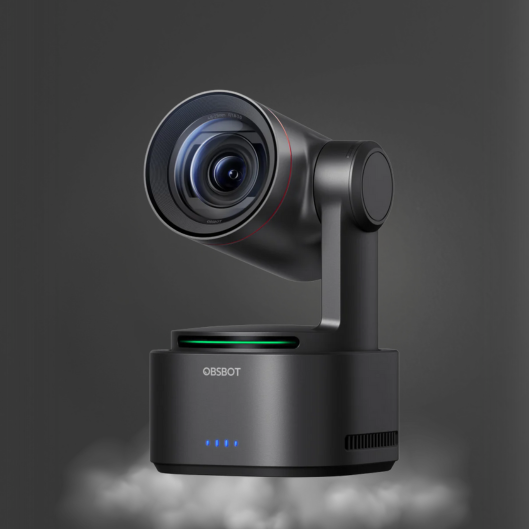
Integrated camera audio is convenient. For webcam-based calls, compact studios, and mobile live production, an onboard microphone array can capture broad room sound without adding another device to the setup. AI-powered cameras may also combine voice pickup with speaker framing or tracking workflows, helping remote participants see and hear the active presenter more naturally.
The limitation is physics. A microphone mounted several feet away from a speaker captures the room along with the voice. Reflections from hard surfaces, HVAC noise, keyboard clicks, and side conversations can reduce the useful directional detail. Spatial processing cannot restore a clean voice that was never captured clearly in the first place.
For speech-led production, use the microphone type that fits the source:
- A lavalier microphone keeps dialogue close and consistent when the subject moves.
- A shotgun microphone is useful when a boom or off-camera placement can be kept close to the talent.
- A conference microphone is practical for small group discussions where fast setup and broad coverage matter.
- A vocal microphone is the preferred choice for controlled presentations, podcasts, and livestream hosts.
Capture the Room Intentionally
If the goal is to preserve a real room experience, place the microphone array where it can hear the room as an audience member would. Keep the environment quiet, control reflections with soft furnishings or acoustic treatment, and avoid placing the capture device directly beside a computer fan or PA speaker.
If the goal is clear spoken content, close microphones should lead the mix. A low-level room or audience microphone can then add ambience and positional context without overwhelming the dialogue. This approach is especially effective for houses of worship, corporate town halls, and event coverage where the room response is part of the experience but intelligibility remains non-negotiable.
Building a Spatial Audio Workflow for Live Video
A reliable workflow begins with separate, manageable sources. Label each microphone clearly, establish gain before adding effects, and monitor with headphones. If a speaker is too quiet or a room is too loud, solve that at the source before using spatial controls.
For multi-camera production, keep audio and video positions aligned. If Camera 1 frames the host at center and Camera 2 shows a guest on the right, sudden changes in audio position can be distracting. The sound field should follow the editorial logic of the program, not move simply because the camera angle changes.
A compact live-production setup may include AI tracking cameras for automated framing, a video switcher for source control, dedicated microphones for every key speaker, and a mixer or software environment that supports multichannel routing. Network-enabled camera workflows can reduce cabling for video control and monitoring, while audio should still have a deliberate routing plan with backup paths where the event cannot tolerate failure.
Before going live, test three playback conditions: production headphones, a laptop speaker, and a phone speaker. Headphones reveal positioning and phase issues. Small speakers reveal whether the voice remains intelligible when the spatial field collapses. If dialogue becomes thin, distant, or inconsistent in mono, review microphone polarity, stereo widening, and time-based processing.
Delivery Formats and Listener Expectations
Spatial audio is not one universal format. Some systems use binaural rendering for headphones, some use object-based metadata, and some deliver multichannel mixes for supported devices. Streaming platforms and social channels may accept, downmix, or re-encode audio differently.
That makes format planning part of pre-production. Confirm what the destination platform accepts, whether it preserves multichannel or immersive metadata, and what most of the audience will use to listen. A corporate webcast viewed mostly on laptops has different requirements from a recorded concert intended for headphones and compatible home theater systems.
For many business and creator workflows, a high-quality stereo master remains the practical deliverable. Spatial techniques can still improve that master by placing sources naturally and avoiding a crowded center image. For specialized immersive delivery, produce a dedicated version and monitor it through the same type of playback your audience is likely to use.
Common Mistakes That Reduce the Effect
The most common error is treating spatial processing as a substitute for microphone quality. It is not. A supercardioid vocal microphone placed correctly will usually improve a livestream more than aggressive widening applied to a distant room recording.
Another mistake is over-positioning everything. If music, dialogue, effects, audience sound, and notification tones all compete across the sound field, the mix can feel artificial and tiring. Give the main voice a stable position. Use movement selectively to support a visible action, transition, or creative moment.
Finally, avoid assuming that a spatial mix will translate automatically. Monitor downmixes, check synchronization after switching sources, and record a local backup when the program is live. A polished audio workflow is built on predictable capture and verification, not on a single feature claim.
When Spatial Audio Is Worth Adding
Spatial audio is most valuable when the production includes multiple speakers, a meaningful physical environment, or visual movement that benefits from matching sound placement. It can make remote collaboration feel less flat, help viewers follow a live discussion, and add dimension to high-value content without requiring a large studio footprint.
For a single-person webcam call, the better investment may be a properly positioned microphone, quiet room, and consistent gain. For a multi-camera panel, hybrid event, performance, or immersive recorded presentation, spatial capability can become a clear production advantage.
Start with clean capture, keep dialogue dependable on every playback device, and let spatial placement serve the story on screen. That is where the technology earns its place in a professional production setup.