Compact Camera Review for AI Live Production
A compact camera has to earn its place in a live-production kit. It should do more than save desk space: it should reduce framing errors, simplify operator workload, deliver credible image quality, and connect cleanly to the rest of the workflow. This compact camera review looks at what creators and AV teams should expect from modern AI-powered compact cameras, particularly when livestreaming, recording, remote presenting, or building a multi-camera setup.
The category is broader than the old point-and-shoot definition. For professional users, a compact camera may be a 4K webcam, a small AI PTZ camera, or a portable production camera with network-ready output. The right choice depends less on physical size alone and more on whether the camera can maintain a useful shot without constant manual correction.
Compact Camera Review: What Matters Beyond Size
Compact cameras are often purchased to solve a practical limitation: there is no room, budget, or staffing level for a conventional studio camera system. A solo presenter cannot pan a camera while teaching. A podcast producer may need three angles in a small room. A corporate communications team may need consistent speaker framing in meeting rooms that were never designed as studios.
This is where AI tracking changes the value calculation. A fixed 4K webcam can look excellent when the subject remains centered. Once the presenter walks to a whiteboard, demonstrates a product, or shifts position at a standing desk, framing becomes the weak point. An AI PTZ or PTZR camera can identify and follow a person, automatically adjusting pan, tilt, and zoom to preserve the shot.
The trade-off is control. Automated tracking is not a replacement for every camera operator. In a crowded stage environment, a camera may need clear tracking boundaries, target selection, or preset positions to avoid following the wrong person. For a controlled one-person stream, however, tracking can remove one of the most repetitive tasks in production.
4K Resolution Is Only the Starting Point
4K capture provides latitude for sharper delivery, digital cropping, and more detailed speaker or product shots. It is especially useful when one camera must serve multiple outputs, such as a full horizontal program feed and a vertical social-media crop. But resolution alone does not determine whether the image looks professional.
Lens field of view, sensor performance, exposure behavior, color consistency, and autofocus all affect the result. A wide lens is useful for desktop streaming and group discussions, while a tighter optical zoom range is more useful for lecterns, classrooms, and worship spaces. A camera that handles mixed light predictably can be more valuable than one that simply advertises a high pixel count.
For live work, evaluate 4K alongside output format. Confirm whether the camera can supply the resolution and frame rate your switcher, computer, recorder, or streaming platform actually accepts. A 4K camera feeding a 1080p live program can still be the right choice, but the workflow should be deliberate rather than based on specifications alone.
AI PTZ Cameras: The Best Fit for Active Presenters
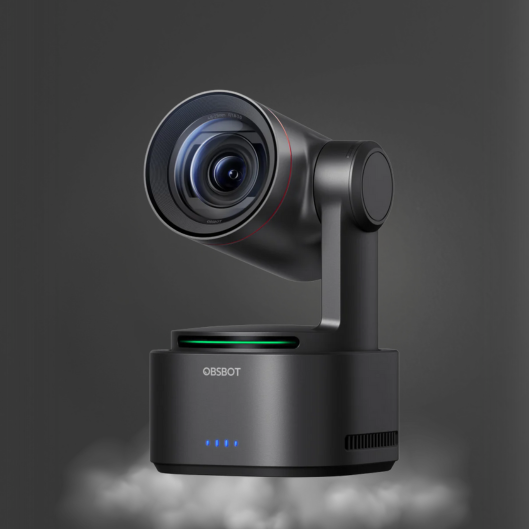
For presenters who move, compact AI PTZ cameras offer the clearest operational advantage. Models such as the OBSBOT Tail Air are designed around compact 4K capture, intelligent subject tracking, and motorized movement. That combination makes them particularly useful for product demonstrations, mobile creators, educators, interview sets, and small event coverage.
A traditional PTZ camera typically relies on an operator using a controller, software interface, or preset recall. AI-enhanced models add automatic subject recognition and tracking behavior. The benefit is not just movement. It is consistent composition: the camera can keep a presenter at a usable size in the frame as they change position.
PTZR designs add another useful option: rotation. When a production needs native vertical framing for short-form video or vertical livestreaming, a rotating camera can produce a better result than aggressively cropping a horizontal image. This matters for creators publishing to several platforms, where a 16:9 program feed may not be the only deliverable.
The limitation is that motorized tracking has a visual character. Fast movements, low light, multiple people, and complex backgrounds can challenge any automated system. Before using AI tracking for a paid live event, test its framing modes and response in the actual room. Set presets for dependable fallback shots, especially a wide safety frame and a speaker close-up.
When a 4K Webcam Is the Smarter Compact Camera
Not every setup needs a PTZ mechanism. For remote meetings, desktop tutorials, gaming streams, and fixed seated presentations, a compact 4K webcam may be the more efficient purchase. Cameras in the OBSBOT Tiny family pair a small footprint with AI framing and tracking features that improve on basic USB webcams without requiring a separate operator.
The practical advantage is simple installation. USB connectivity lets the camera work directly with a computer for conferencing, streaming, or recording. That makes this format well suited to individual creators and distributed teams that need a significant visual upgrade without rebuilding the entire signal path.
Choose a compact webcam when the camera will remain close to the computer and the subject is usually within a limited area. Move to a dedicated AI PTZ camera when you need longer placement distance, more purposeful camera angles, network integration, or a production workflow that extends beyond one laptop.
Connectivity Decides Whether the Camera Scales
A compact camera can be excellent on its own and still be a poor fit for a larger production. Connectivity determines whether it can grow with the workflow.
USB is direct and convenient for a single-computer environment. HDMI is commonly preferred when feeding a hardware video switcher, capture device, monitor, or recorder. Network-based video is valuable when cameras must be installed farther from the control position or when multiple sources need to move through an existing network infrastructure.
NDI workflows are particularly relevant for teams building flexible multi-camera systems. An NDI-capable camera can send video, audio, control, and in some configurations power through a network-centered setup. This can reduce the need for long HDMI runs and make camera placement more adaptable. Still, network video requires planning: switch capacity, bandwidth, cable quality, and network configuration all matter.
For multi-camera productions, do not evaluate a compact camera in isolation. Ask how its output will enter the switcher, whether camera control can be centralized, and whether its color can be matched with other sources. A compact camera that works well with a CineTreak live video switcher and dedicated control workflow may be more useful than a higher-specification model with incompatible connections.
Audio Remains a Separate Production Decision
Built-in camera microphones are suitable for reference sound and casual calls, but they should not be treated as the primary audio solution for serious livestreams, interviews, courses, or events. Camera placement is usually chosen for framing, not microphone proximity. That alone limits speech clarity.
Match the microphone to the room and speaking format. A lavalier microphone works well when one presenter needs consistent close-mic speech while moving. A shotgun microphone can isolate a forward-facing source in controlled environments. Conference microphones are better suited to multi-person meeting tables, while a vocal microphone can provide focused pickup for a host at a fixed position.
The objective is not merely louder audio. It is better rejection of room noise, keyboard sounds, HVAC noise, and distant speech. Viewers will often tolerate a less expensive camera image before they tolerate unintelligible dialogue.
A Practical Buying Decision
For a solo creator at a desk, a compact AI webcam is usually the most direct improvement. It keeps the setup small, works with a computer-based production system, and can maintain framing during normal movement.
For an educator, product demonstrator, or presenter who uses a larger area, an AI PTZ camera offers a stronger return. Tracking and presets reduce the need for manual operation while providing more intentional composition. For a small studio, house of worship, or corporate AV team, select compact cameras based on shared control, HDMI or network output, and integration with the switcher and audio system.
Kong Kei Industrial focuses on this complete production path: AI-powered OBSBOT cameras, video switching tools, and specialized CKMOVA audio equipment that can be selected as one working system rather than a collection of unrelated devices.
The best compact camera is the one that preserves a professional frame when the presenter starts moving, sends a dependable signal to the equipment you already use, and leaves you free to focus on the production rather than chasing the shot.