When Should I Use SDI in Live Video Production?
A camera feed that drops during a keynote, worship service, or client webcast is rarely caused by the camera itself. More often, the weak point is the connection between the camera, switcher, and display. If you are asking, "when should I use SDI?" the practical answer is: use it when dependable, point-to-point video transport matters more than consumer convenience.
SDI, or Serial Digital Interface, is the standard connection found throughout broadcast, event, and professional AV workflows. It carries uncompressed digital video over 75-ohm coaxial cable with locking BNC connectors. Depending on the SDI standard and equipment, that same cable can also carry embedded audio, timecode, and other production data.
SDI is not automatically the right answer for every creator setup. HDMI is often more practical at a desk, and NDI can reduce cabling in network-based installations. The right choice depends on resolution, cable distance, camera count, control requirements, and the cost of failure while live.
When Should I Use SDI?
Use SDI when your signal needs to travel farther than HDMI handles comfortably, when cables may be moved or pulled during production, or when you need a dependable connection between professional cameras and a video switcher. It is especially useful in multi-camera environments where each source must arrive predictably and stay locked throughout a show.
An SDI workflow is a strong fit for conference rooms, lecture halls, houses of worship, interview sets, live events, corporate studios, and mobile production cases. In these environments, cameras are often mounted away from the control position. A locking BNC connector is far less likely to disconnect accidentally than an HDMI plug, particularly when cables run through a wall, under a platform, or around a tripod.
The case becomes even stronger when you are working with a hardware switcher. Professional switchers commonly provide SDI inputs and outputs because SDI is built for stable source routing, program monitoring, recording, and distribution. A camera with an SDI output can feed the switcher directly without relying on USB capture devices or fragile HDMI adapters.
SDI Solves the Cable-Distance Problem
Cable length is one of the clearest reasons to choose SDI. HDMI was designed for short consumer connections, such as a media player to a television. High-quality HDMI cables can work over longer runs, but reliability becomes harder to predict as distance, resolution, and frame rate increase.
SDI is designed for production cabling. The actual distance depends on the cable quality and the signal format, but HD-SDI and 3G-SDI commonly support runs of hundreds of feet with appropriate 75-ohm coax. Higher-bandwidth 6G-SDI and 12G-SDI signals carry more data and therefore reach shorter distances on the same cable. For very long 4K runs, fiber conversion or dedicated fiber camera systems may be the better technical decision.
This distinction matters when planning a system. A 1080p60 camera across a large auditorium is a straightforward 3G-SDI application. A 4K60 camera sent to a control room on the other side of a venue may require 12G-SDI-rated cable, a shorter route, or fiber. Buying an SDI camera alone does not guarantee the entire signal path supports your required format.
Choose the SDI Standard for Your Format
SDI is a family of standards, not a single fixed specification. Your camera, switcher, recorder, monitor, converters, and cable should support the same required level.
HD-SDI is generally associated with 720p and 1080i signals. 3G-SDI is commonly used for 1080p up to 60 frames per second and remains a practical standard for live streaming, education, worship, and corporate video. It delivers excellent Full HD results while keeping cable infrastructure manageable.
6G-SDI supports higher-bandwidth 4K workflows, often up to 4K30. 12G-SDI is the common single-cable option for 4K60 production. It is useful when 4K acquisition, high-frame-rate output, or a 4K-capable switcher is central to the workflow.
Do not assume that 4K always requires SDI or that 12G-SDI always improves a 1080p production. If the final stream is 1080p and your switcher, displays, and recording workflow are built around 3G-SDI, a well-designed 3G system can be more cost-effective and easier to operate. The goal is format compatibility, not the highest number on a connector label.
SDI vs. HDMI for Cameras and Switchers
SDI and HDMI can carry high-quality digital video. When both are transporting the same properly configured signal, SDI does not create a more cinematic image by itself. The difference is workflow reliability.
HDMI makes sense for short cable runs, compact desktop studios, webcams, consumer displays, and lower-cost capture setups. It is widely available, supports modern 4K formats, and is built into many cameras and monitors. For a creator filming at a desk with a camera two or three feet from a capture device, HDMI is usually the sensible choice.
SDI is better suited to fixed installations and live production. BNC connectors lock in place, coaxial cable is familiar to AV crews, and SDI devices are designed to interconnect with broadcast switchers, distribution amplifiers, recorders, and monitors. SDI also avoids many of the handshake behaviors associated with HDMI, where a display or capture device can trigger resolution changes or signal interruptions.
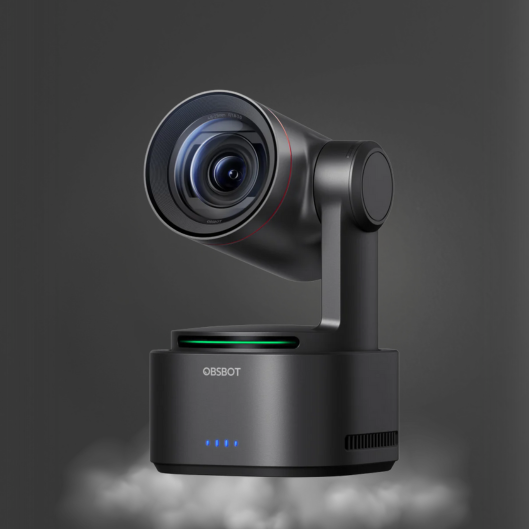
A mixed workflow is normal. For example, an AI tracking PTZ camera may use SDI for its primary switcher feed while HDMI supports a nearby confidence monitor. A converter can bridge HDMI and SDI when equipment formats do not match, but each converter adds a power point, possible format limitation, and another item to troubleshoot. Direct connections are preferable whenever possible.
SDI vs. NDI: Reliability Has Different Requirements
NDI is not a replacement for SDI in every application. It is a video-over-IP workflow that sends video, audio, and metadata across an Ethernet network. It can be highly effective for studios that need flexible routing, remote camera control, software production, or multiple sources on existing network infrastructure.
Use NDI when the network is intentionally designed for video traffic and you need the flexibility of IP routing. It is particularly useful for distributed facilities, software switching, and installations where running dedicated coax to every camera is difficult. NDI-capable PTZ cameras can combine video transport and network-based control through one Ethernet connection, often with Power over Ethernet support depending on the model.
Use SDI when you need a direct, deterministic path from camera to switcher. SDI does not depend on network switches, bandwidth planning, multicast configuration, or IT policies. In a critical live environment, that simplicity has value. Many professional systems use both: SDI for primary live camera feeds and NDI for secondary sources, remote monitoring, or network distribution.
What SDI Does Not Handle on Its Own
SDI carries video exceptionally well, but it does not automatically solve every camera requirement. Standard SDI connections do not provide camera power. A PTZ camera still needs local power, Power over Ethernet where supported, or a separate power solution.
SDI also does not inherently provide PTZ control. Camera movement, presets, AI tracking configuration, and exposure adjustments may require IP control, serial control, a dedicated controller, or a manufacturer-specific workflow. This is common in modern production systems: SDI carries the low-latency video feed while Ethernet handles control and management.
Audio needs attention as well. SDI can embed audio from a camera or source device, but the best audio path may be separate. A CKMOVA microphone feeding a mixer, audio interface, or switcher gives you more direct control over gain, processing, and mix levels than relying only on a camera-mounted microphone. For live productions, treat video transport and audio capture as connected but separate design decisions.
Build an SDI Signal Path That Matches the Job
Before purchasing equipment, map the path from lens to final output. Confirm the camera output format, switcher input formats, cable length, monitor requirements, and streaming or recording resolution. A 12G-SDI camera connected to a 3G-SDI-only switcher may need to be configured for 1080p output or routed through a compatible converter.
Also verify whether your switcher accepts the frame rate you intend to use. A 1080p60 camera output and a 1080p30 production standard are not automatically interchangeable. Format mismatches are one of the most common reasons an SDI source appears unsupported even when every connector physically fits.
For permanent runs, use properly rated 75-ohm broadcast coax and label both ends. Avoid treating generic coax, worn adapters, and unknown couplers as invisible details. A clean SDI system is usually simple: compatible source, correctly rated cable, compatible destination, and a backup plan for critical events.
Choose SDI when the production cannot afford a loose connector, a questionable long HDMI run, or an unpredictable network path. Once the cable route, format, and control method are planned together, SDI becomes less of a technical upgrade and more of a dependable foundation for every live shot that follows.